First-day introductions
Give each child a tag to color while the group settles in. Ask them to say their name and point to a favorite color. Place finished tags on tables so everyone can read them.
Make free printable name tag coloring pages for a class, a party or a group activity. Paste your names, choose a border and get six editable name tags on every A4 or US Letter sheet. The outlined letters and decorations are ready to color.
Up to 40 characters per name. Repeated names are kept. No signup; names stay in this browser.
For PDF, choose Save as PDF in the print dialog. Use the PNG button below a sheet for an image.
These are printable craft tags, not a template for a particular adhesive-label brand. If you need an exact commercial label size or pre-cut sticker alignment, check that product’s measurements separately. A plain sheet of paper or cardstock compatible with your printer is the simplest place to start.
Each sheet has two columns and three rows. A4 tags are approximately 8.7 × 8.3 cm at 100% print scale; US Letter tags are approximately 9.0 × 7.8 cm. Printer scaling can change those measurements. The dashed outside rectangle marks the cut line, while the rounded inside frame and the outlined name create the coloring activity.
There is no fixed list of names to download from. The printable is built from your own list, so you can prepare a whole group or just one tag. If two children share a first name, keep both entries or add a short initial to help you tell their tags apart. To make several copies of one tag, put the same name on several lines.
Need a full page of coloring space for each child? Use the classroom name coloring pages maker instead. For one large name with additional lettering options, open the single name coloring page generator. These tools serve different print layouts, so you can choose the output that fits the activity.
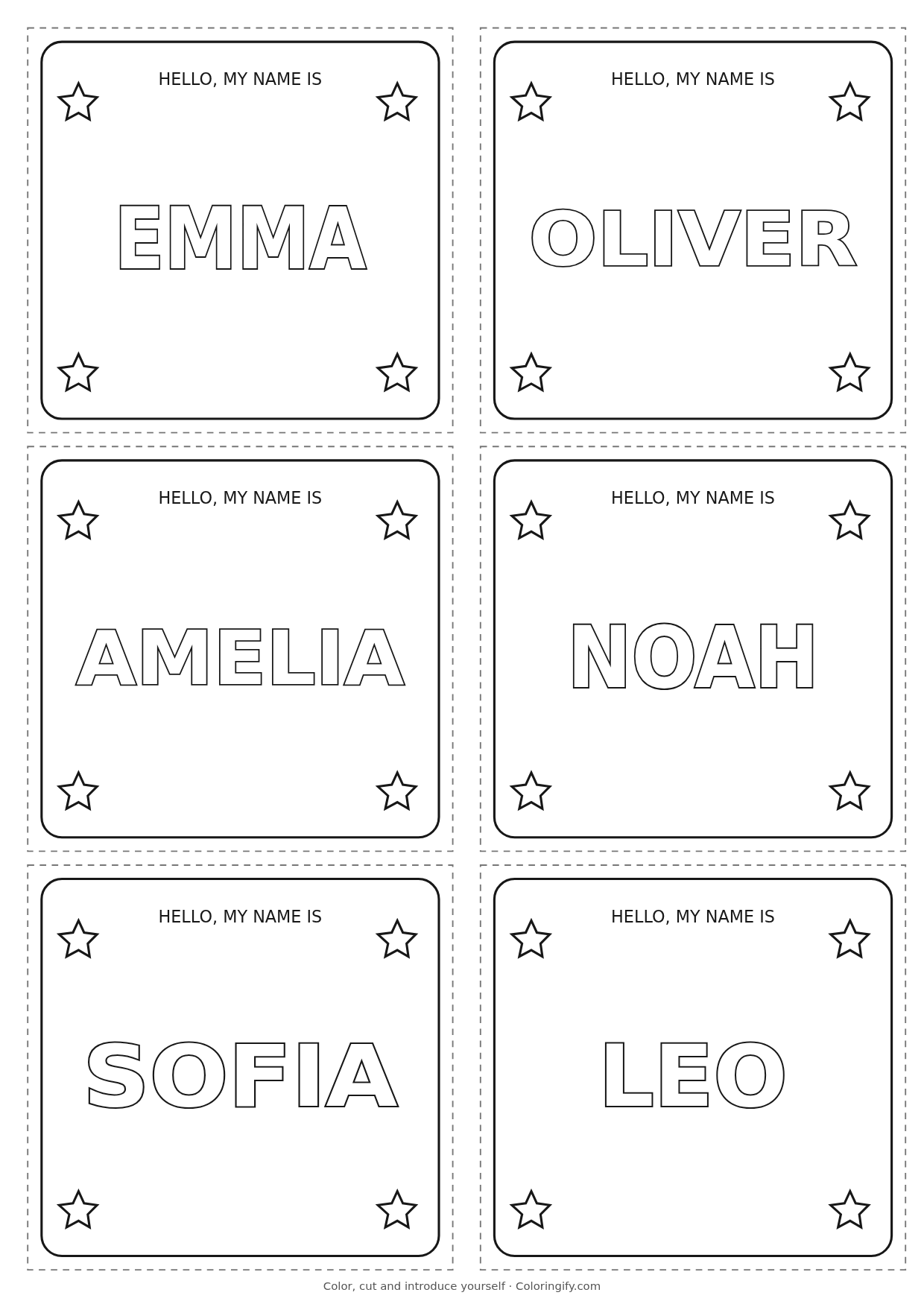
This sheet is output from this maker using the sample names and the stars border on A4. Click the image to download it, or change the list above to create your own. Your names do not become a public example.
For a PDF copy of your customized sheets, use Print name tags and select Save as PDF. This uses your browser’s print workflow; the PNG button exports one sheet at a time.
For a larger holiday coloring activity, try a full Christmas name coloring page with each child’s name.
Give each child a tag to color while the group settles in. Ask them to say their name and point to a favorite color. Place finished tags on tables so everyone can read them.
Set out name tags with crayons at a birthday table. Use one as a place marker or attach it to a favor bag. Pair the activity with birthday coloring pages.
Prepare short first names for a library group or creative club. Color a tag at the welcome table, then use a separate dinosaur coloring sheet for the next activity.
For younger children, choose the simple frame and fewer letters. For older groups, stars or hearts provide extra spaces for patterns. A name tag helps introduce a person; it is not a substitute for a school’s identification or safeguarding process.
Yes. Editing names, choosing borders, printing and exporting sheets as PNG are free in this tool. No account or payment is required for these name tags.
Choose Print name tags, then Save as PDF in your browser or system print dialog. Match A4 or Letter to the choice in the maker. There is no separate direct-PDF download button.
Yes. Paste one name per line. The maker creates as many six-tag sheets as the list requires and preserves repeated names. Review the final sheet count before printing.
This maker processes names in the browser and does not send them to a server or put them in a sharing link. The list is not saved by the maker. Refreshing or closing the page resets it.
Accents and other characters are preserved, but the visible letter shapes depend on the fonts installed on your device. Preview both the name and downloaded image before making the final copies.
The maker fits each name inside the tag. Shorten a long phrase to a first name or nickname if you want larger letters. Names over 40 characters must be shortened before the set can be printed.
You can place a tag flat on a desk, use it in a holder or attach it with suitable tape. These are cut-out rectangles, not folding tent cards or a pre-sized sticker-brand template.